
AI-native succession planning
Know your next leaders before you need them
Map successors on an interactive org chart, score the roles you cannot leave empty, take nominations to your committee, and let an AI copilot surface risks and suggest next steps — in our cloud or on your own servers.
- Free for up to 30 employees
- Cloud or self-hosted
- English & Arabic, full RTL
Want to explore the system first? Request free demo credentials at [email protected]
Chief Financial Officer
Finance · reports to the CEO · held 6 years
- MBR1 · Ready now
Maya Bergström
Group Financial Controller
- TOR2 · 1–2 years
Tomás Okafor
Head of FP&A
- LNR3 · 3–5 years
Lior Nakamura
Director, Treasury
Copilot Maya is the only ready-now successor anywhere in Finance. A second R1 candidate would take this seat off single-point risk.
Works with the HR systems you already run
- SAP SuccessFactors
- Workday
- BambooHR
- REST / HRIS
- Excel
Keep employees, roles and departments in sync automatically — or import from Excel in minutes.
See it before you sign in
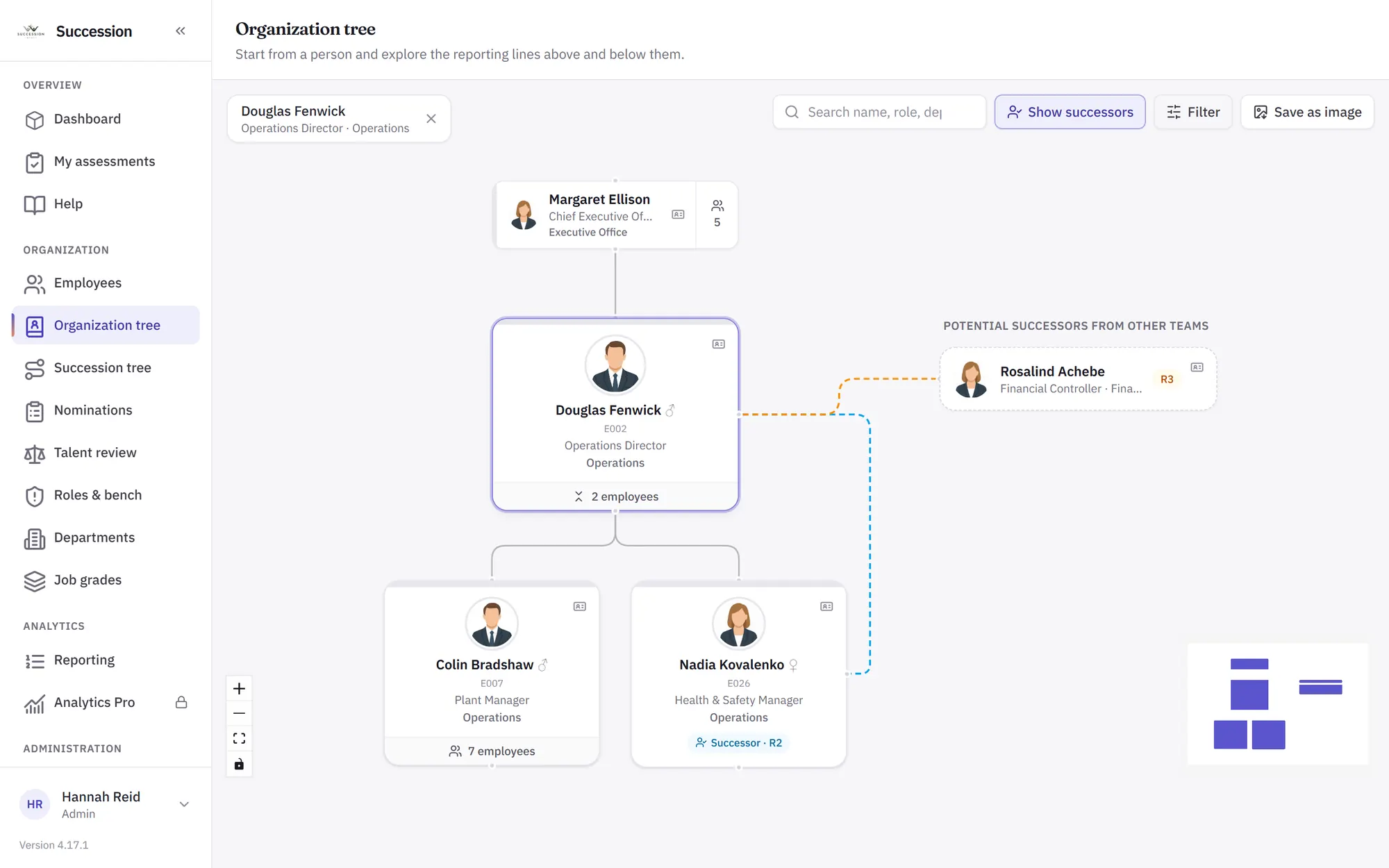
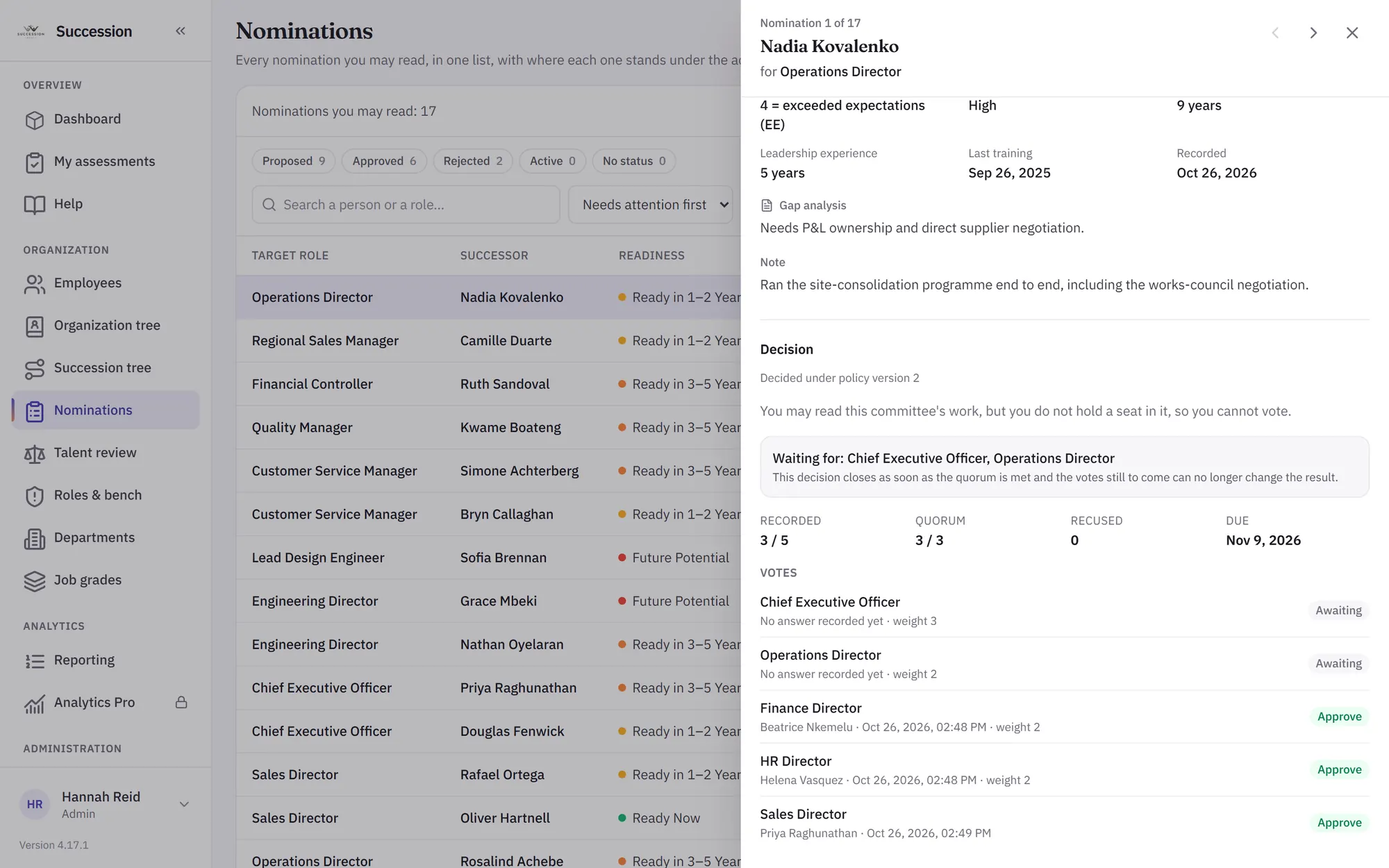
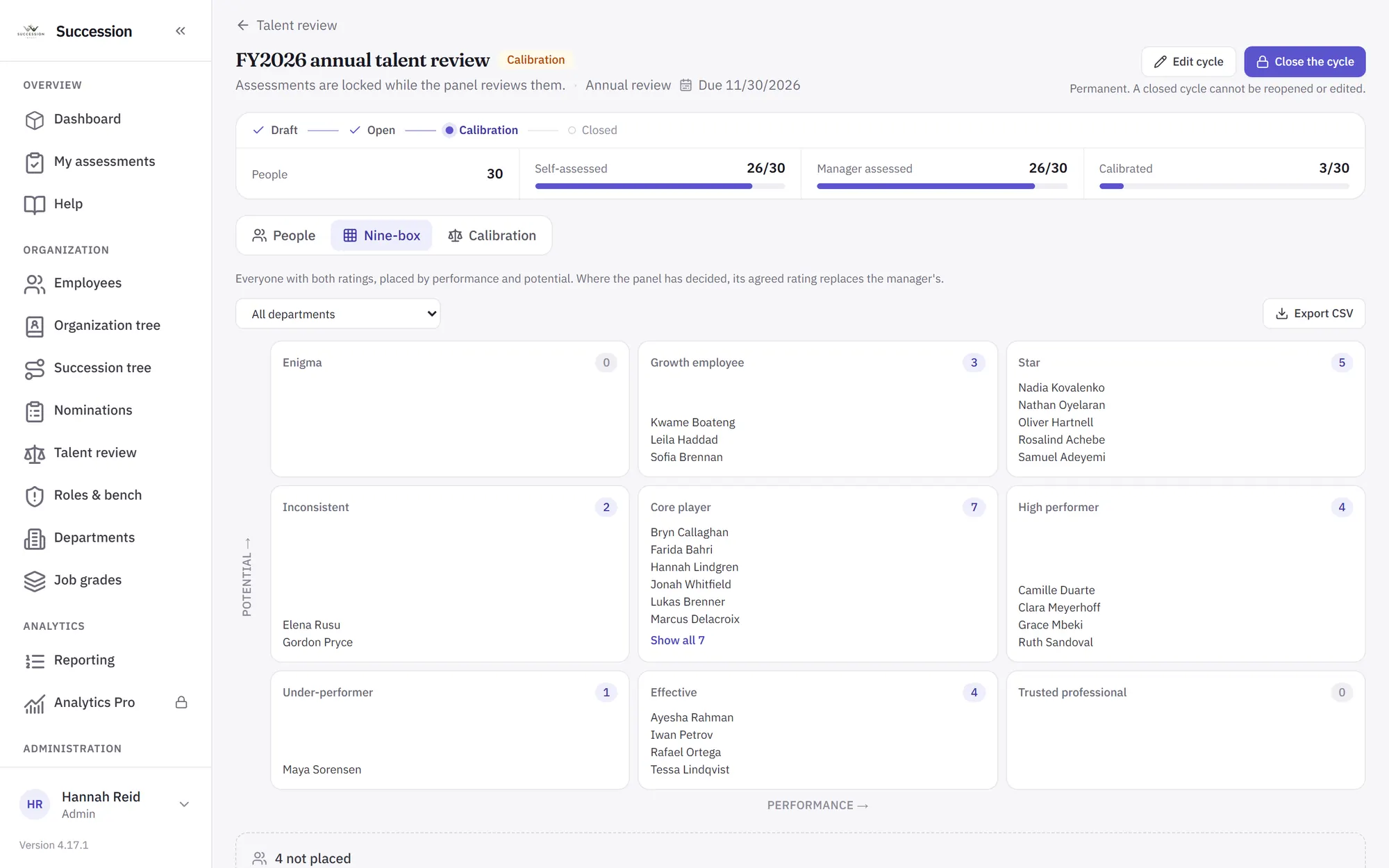
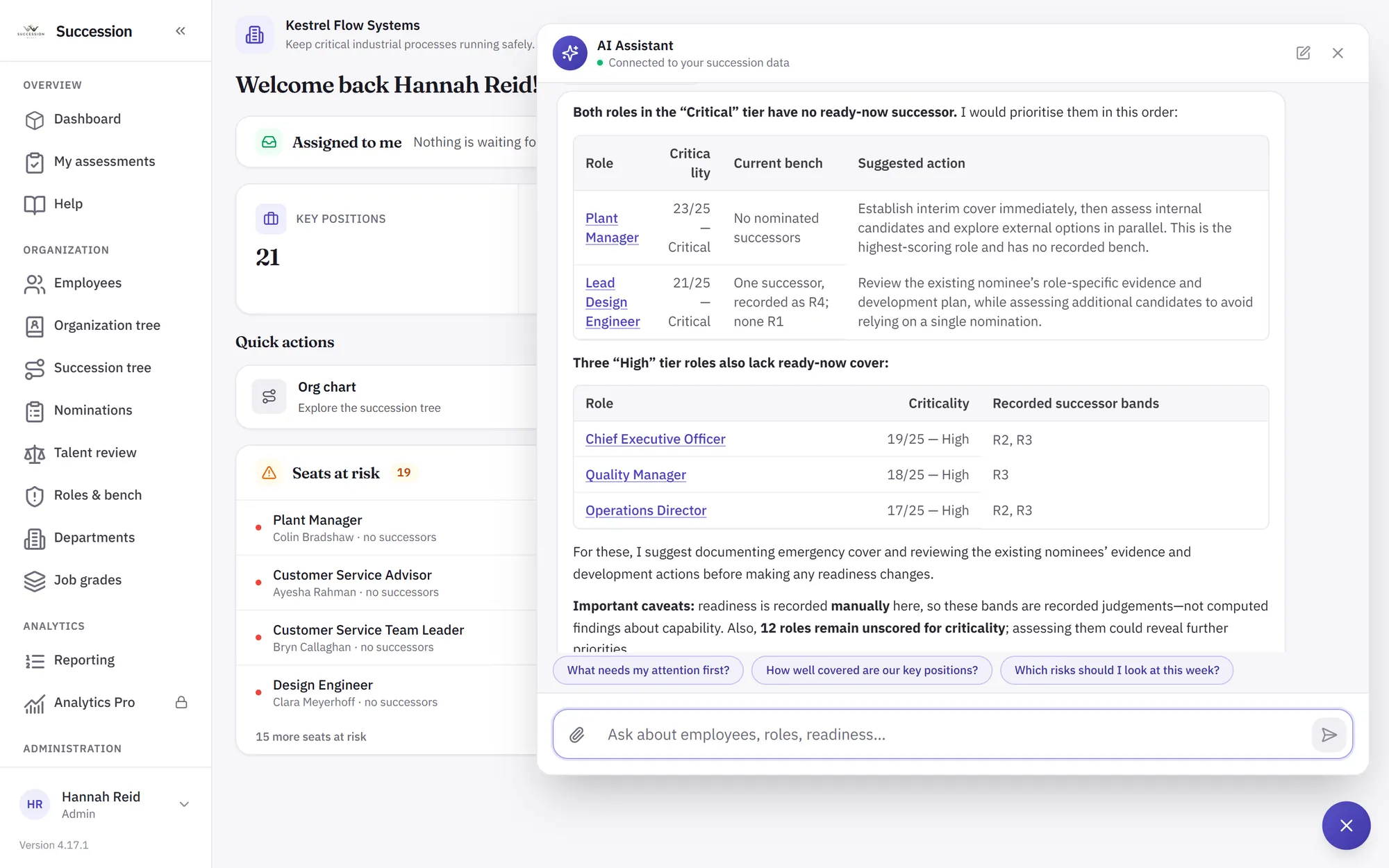
Real screens from a demo company, Kestrel Flow Systems. Every person in them is invented.
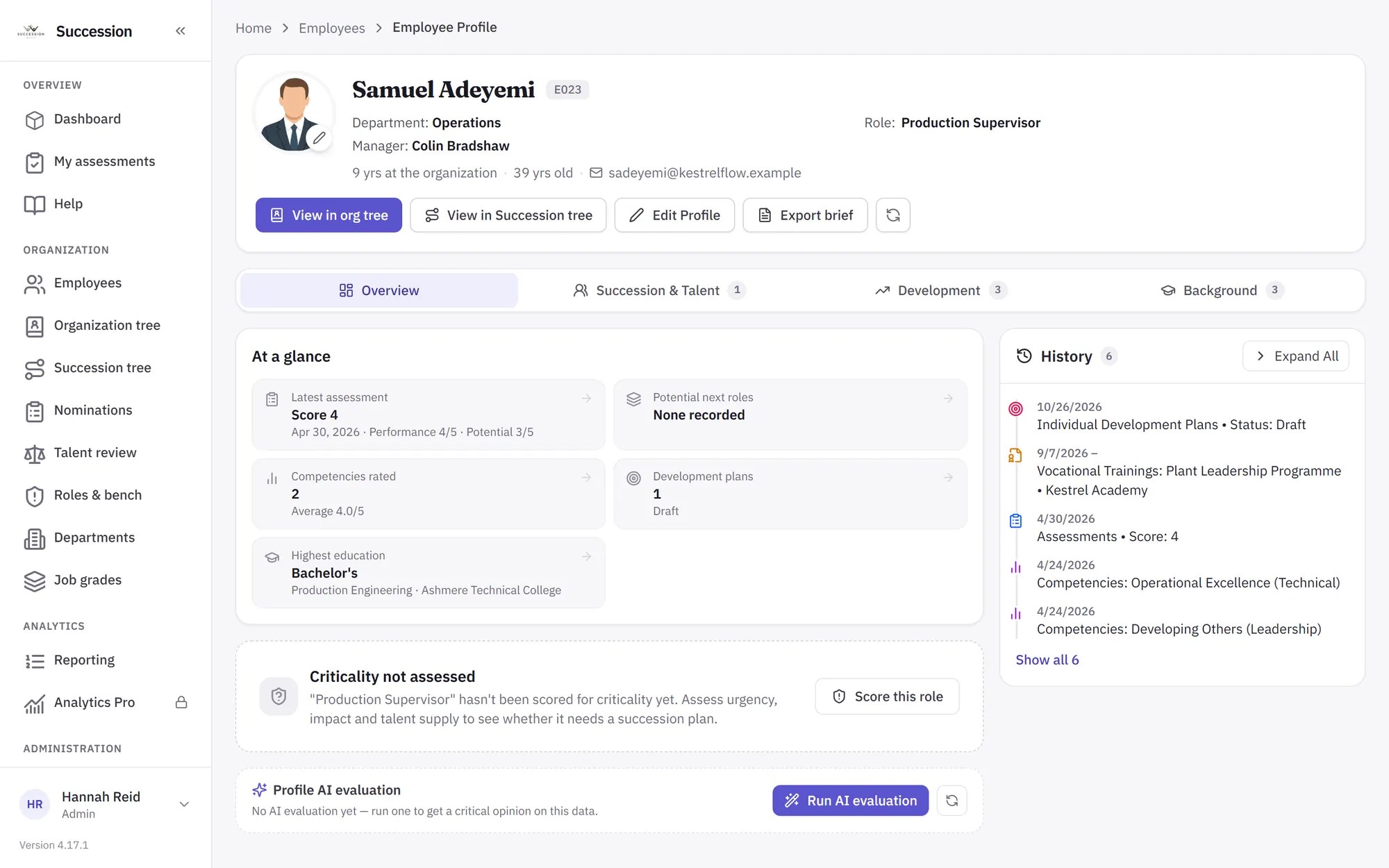
An AI copilot for your talent decisions
Not a chatbot bolted on — an assistant that reads your live succession data, judges fit against your company and departments, and helps you act.
Ask anything about your talent
It plans, queries your live data and answers — with links straight to the people and roles it mentions.
A critical second opinion, on demand
One click gets an honest review of any profile or record — data gaps, risks and fit — scored and tracked over time.
It suggests; you decide
Roles a person fits, development plans, records read from a CV — each one a proposal with its reasoning, saved only when a person confirms it.
Bring your own model — any OpenAI-compatible provider, or one you host yourself. It only ever reads what the signed-in person may see.
See everything the AI copilot doesEverything you need for succession planning
From the org chart to the boardroom report.
Interactive succession tree
Explore positions and successors visually, expand chains of succession and re-root the chart on any employee.
Learn moreReadiness tracking
See who is ready now and who needs one, three or five more years — with coverage at a glance.
Critical-role scoring
Identify and score business-critical roles on urgency, impact, skills and talent availability, and track coverage.
9-box talent matrix
Plot performance against potential from each employee's latest assessment to spot stars and risks.
Learn moreBuilt-in analytics
Readiness distribution, flight risk, bench strength and department coverage — live from your data.
Committee decisions
Weighted or blind voting under your quorum, with conflicts of interest handled by rule and every reason kept.
Learn moreAccess you control
Role-based permissions scoped to each person's own people, accounts and invitations managed in the product, encrypted connector credentials and an audit trail.
The methodology is yours, not ours
Set your own criticality criteria and weights, name your readiness levels, decide whether a level is entered by a person or computed from evidence on file, and declare who may be nominated. Activate a new version without rewriting the old one — a score published last year stays explicable under the rules it was made under.
From data to decisions in three steps
Connect your data
Sync SuccessFactors, Workday or BambooHR — or import employees, roles and assessments from Excel.
Map & assess
Build succession chains on the org chart, score your critical roles and capture readiness and potential.
Decide with AI
Let the AI copilot surface uncovered roles and flight risks, evaluate fit, and guide your next move.
Our cloud, or your own servers
The same product either way. Start in our cloud in minutes, or run it on your own infrastructure when your data has to stay inside your walls.
Cloud
We host it and keep it up to date.
- Start free for up to 30 employees
- New versions arrive automatically
- Enterprise plan for larger organizations
- Priority support on Enterprise
Self-hosted
Run it on your own servers — on-premises, or in a private or sovereign cloud.
- Your database, your file storage, your network
- Your AI model — nothing has to leave your network
- Upgrade with one command; the database migrates itself
- Container images for the whole stack
Frequently asked questions
Everything you need to know before getting started.
How does the free plan work?
The free plan covers up to 30 employees with the interactive succession tree, readiness tracking and Excel import — free forever, no credit card required.
Can I connect my existing HR system?
Yes. Every plan includes multi-sheet Excel import. On Enterprise and self-hosted you can connect SAP SuccessFactors, Workday or BambooHR — or any system with a REST API — to keep employees, roles and departments in sync.
Does the platform support multiple languages?
Yes — the interface is available in English and Arabic, including full right-to-left layout support.
How is access secured?
Accounts and invitations are managed in the product, and permissions are role-based and scoped to the person: a line manager acts on their own people, not on the whole directory. Connector credentials are encrypted at rest, and changes are recorded in an audit trail.
Can I change plans later?
Absolutely. You can upgrade or downgrade at any time — your data stays intact, and features unlock or lock with the plan.
Is the AI safe to use with our data?
Yes. You choose the model: any OpenAI-compatible provider, or one you host yourself — so the data can stay inside your own network if that is what your policy requires. Whichever you pick, the assistant only ever reads what the signed-in user is already permitted to see, credentials are encrypted at rest, and every change is captured in audit logs.
Can we run it on our own servers?
Yes. The self-hosted licence runs the same product on your infrastructure — on-premises, or in a private or sovereign cloud — with your own database, file storage and AI model. Upgrading is one command, and the database migrates itself on start.
Ready to secure your leadership pipeline?
Sign in to start planning succession for your organization's key positions.
Not a customer yet? Email [email protected] and we will set you up with free demo credentials so you can explore the system.